

No…not our wedding anniversary although as of today my husband and I have been married exactly 7 1/2 years… but I am talking about my dSLR anniversary.
It was about a year ago that I got my dSLR camera. I love my camera so much, that I thought “she” deserved a little post of her own.
Here’s a little stroll down memory lane through my images from last year May/June…

a bit over edited {in Picasa} but not too bad.
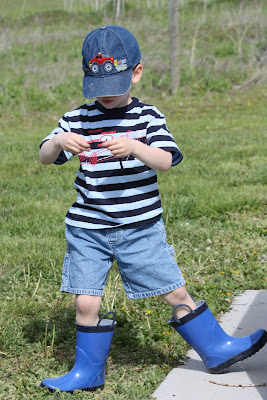


A little better after about a month.
…and then some I took this last week.

 This one also a bit over edited but I kind of like it that way.


Last year at this time, I still shot everything in AUTO and had about one good image per 25. Today I am getting better but what I really notice is that I feel more comfortable with my camera which makes it more enjoyable. In fact, I can rarely notice a beautiful moment, see a pretty scene, or do anything without thinking about how I would frame it as a picture.
This little piece of technology has definitely enriched my life by helping me see the beauty in every detail.
Happy anniversary my little camera. 🙂

I also want to give my love to all of you followers – all 89 of you – woo woo! When I started this blog three months ago I wasn’t sure it would work out. So…Thank you for reading my blog!
Creative pursuits feed my soul and sharing it with you sparks more creativity. It is a wonderfully voracious cycle. When I read your blogs and get inspired by your amazing talents and ideas I feel like you are all dear friends teaching me, inspiring me, and pushing me to be better and try new things.
OKAY…so enough with the self-indulgence.
I do have a QUICK photoshop tip that you might like. If you blog stalk photography blogs like I do you will notice that the “eye pop” editing is becoming really popular. I think some photographers do it subtle enough where it adds enough drama to really make the photo. I have seen some overdone ones that channel eerie, supernatural, alien – ness…not into that so much.
I don’t have a fancy enough version of photoshop to do it properly, but I have stumbled on a substitute that works if you just want a subtle “eye pop” – which is what I like so I am pretty excited to share it with you.
Please note: This only works if you have good catch lights in the subject’s eyes and is better if you are doing a close up. You must also have a well exposed {not too light and not too dark} image. If it is over exposed your subject will become eerily light and sometimes grainy looking after trying this tip. Erring on the side of underexposed – just a bit – is best.

I just adjust the levels (lighting pretty much) to how I like it. Then under the enhance tab I go to adjust lighting and then over to the shadows/highlights. {Sorry that these are a picture of my computer screen still – I can’t figure out a way to get screen shots in blogger without creating a blog post in word which I haven’t actually tried yet…anyway!..}

PSE8 automatically lightens the photo for you right off the bat. I toned it down a bit by moving the slider to the left. Increasing the mid-tone slightly can also help you achieve this effect but the lightening slider is where it’s at.

Voila. A little eye pop. No alien eyes. See what it looked like before SOOC {straight out of camera}?

“Before” but after quick adjustments to the levels:
 And with eye pop:

Okay this one is veering a little toward too much “pop” for me but I wanted you to see that you can take it pretty far if you like.
Neat trick huh?
Thanks for sharing photoshop tips. Learn more about photography and photoshop is also in my mental to do list. Congratulations to your camera 😀
oh thanks i love taking photos, i dont have photoshop but hope to one day, u take such lovely photos. my old camera died and i have a cheap one at the mo and its totally killing me!!! gotta save up and get me a new one…
hey thanks for the tips and i think your blog is beautiful! glad you like my tutorial!
I feel the same way about taking pictures, I'm always saying to myself, I wish I had my camera!! Thanks for the photoshop tip too, I'm always curious to figure out new tricks.
Love the photos. Love the tip. Happy Anniversary! 😉
Beautiful photos! Nice work! Thanks for linking up my boy cuff tutorial, too! And thanks for all your kind comments.
Thanks for the tips. I have been using PSE for a while, but there's always something more to learn. Nice shots, too!
This is too overwhelming. I want a magic camera that takes magically perfect pictures without any help from me.